
File AI and chat
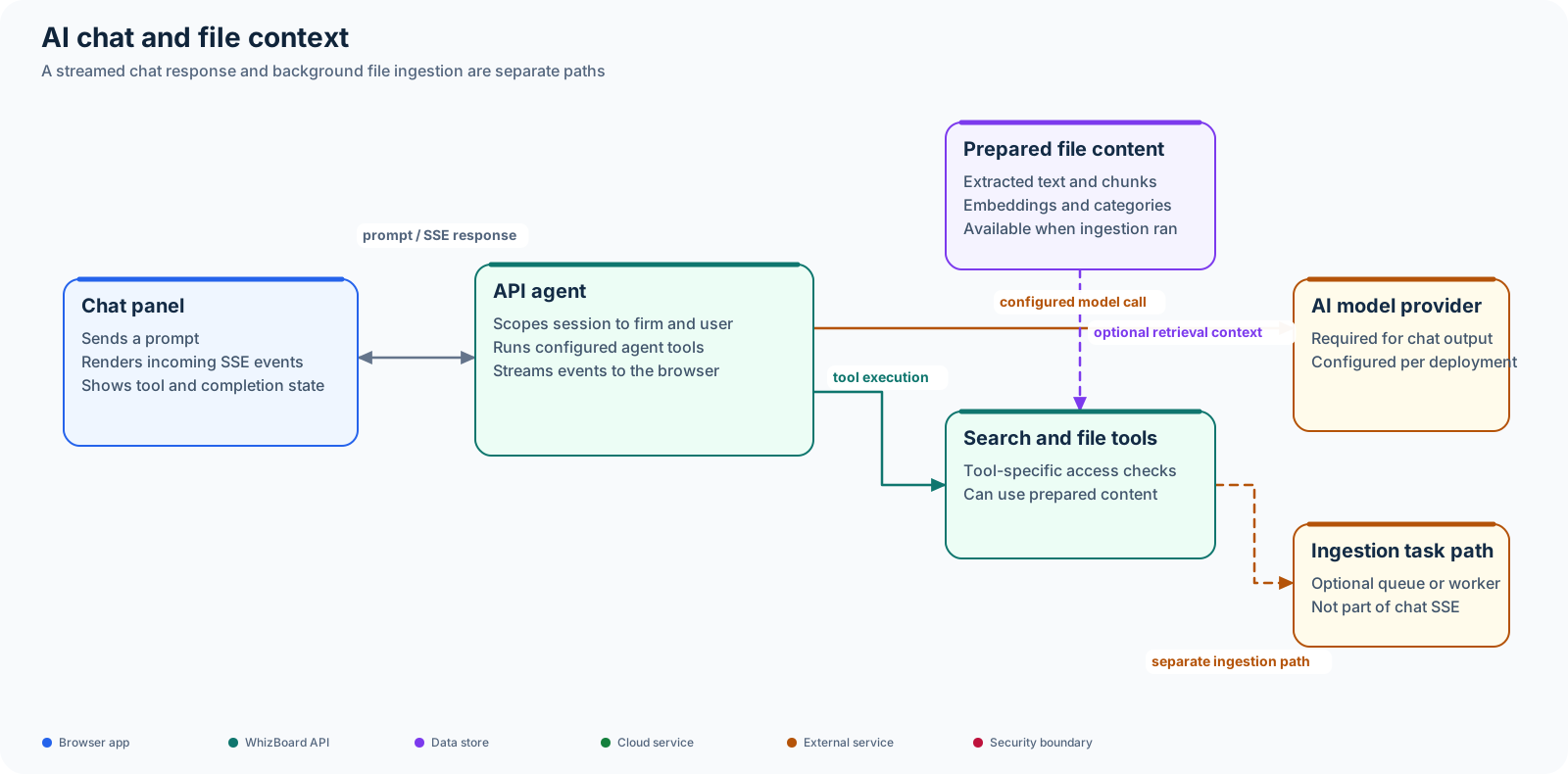
WhizBoard has two related but separate AI paths: an assistant that streams chat responses, and background file processing that can extract, index, and categorize uploaded content. Code for these paths is present in the repositories, but provider and task-runner configuration determines whether a deployment can use them.
Status: Deployment-dependent. Chat requires a configured model provider; file processing additionally requires AI and task-runner configuration.
Assistant chat
The browser sends a message to the API and keeps an SSE connection open while the agent works. The API can stream text, tool activity, and completion or error events back to the chat panel. Chat sessions and messages are scoped to the firm and user. Tools that access files have their own access checks.
The model provider must be configured for chat responses. An AI route or panel being visible does not establish that a model is enabled in the current deployment.
File processing and retrieval
After upload, a separate task path can extract text or structured data, split content into chunks, create embeddings, and persist artifacts used by search or assistant tools. This handoff is deployment-dependent. The backend setting FILE_AI_TASKS_ENABLED defaults to false; enabling it still requires the configured task queue or worker path and AI services.
Upload completion does not by itself prove that a file has been indexed. The Files and uploads guide describes the separate transfer lifecycle.
Code map
- UI assistant and API adapter: WhizBoard UI,
src/components/firm/agent-chat-panel.tsxandsrc/lib/firm-ai.ts. - API chat, search, and job endpoints: backend,
src/routers/file_ai.py. - Agent and processing pipeline: backend,
src/services/file_ai_agent.py,src/services/file_ai_processor.py, andsrc/services/file_ai_task_queue.py.